
RESET Collection
Retro Lounge LabArcade
4.1216.00 Reviews
- Version
- 1.1.43
- Installs
- 10.00K
- Age Rating
- Everyone
Screenshots

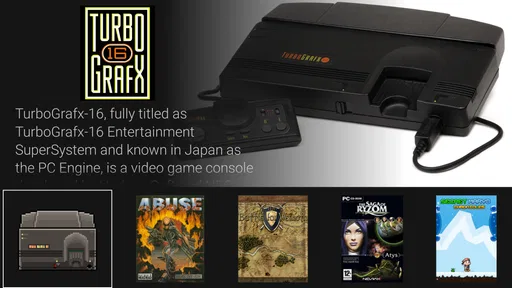
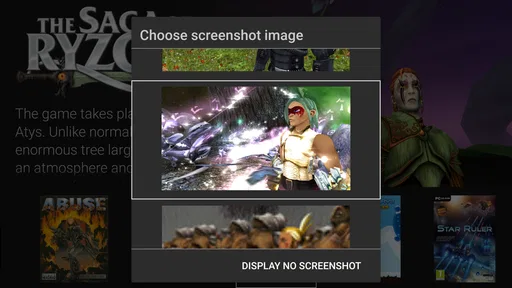
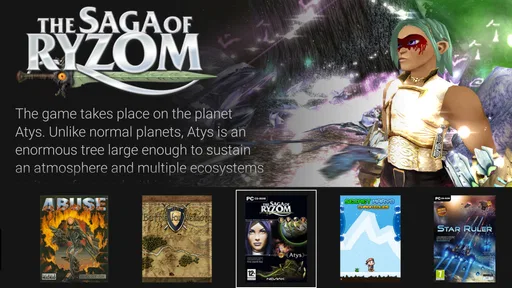
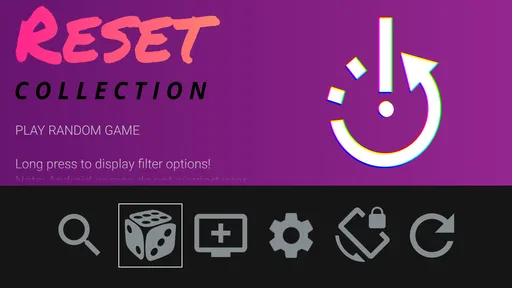
Our Review of RESET Collection
 Analysis by Appyee
I approached RESET Collection as a practical question rather than a nostalgia test: can this paid arcade game frontend make a personal retro library easier to browse and use across different situations? After spending time with it, my answer is cautiously positive. It has a focused purpose, a clean retro-oriented identity, and enough structure to appeal to people who already maintain a collection. It is less convincing for anyone expecting a complete game package that works immediately without preparation.
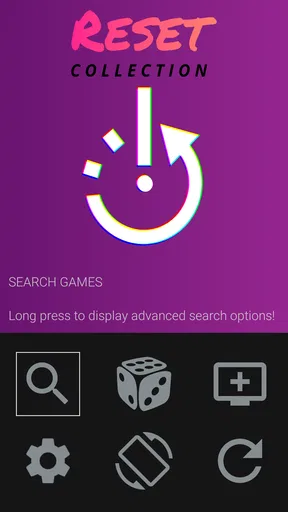
The application comes from Retro Lounge Lab and is listed as an arcade game rather than a general utility. Its central role is to act as a starting point for retro games in a RESET collection. That distinction matters. I would not compare it directly with a single downloadable arcade title, because it is closer to a front door for existing content. The quality of the experience therefore depends not only on the interface, but also on how organized and usable the collection behind it is.
It costs $4.99, carries an Everyone age rating, and supports Android 6.0 or later. Those details make it relatively approachable for older compatible devices and for households where younger players may be present. The current version is 1.1.43, while the game was released on Jan 27, 2020. Its average rating is 4.1 from over 800 ratings, with over 200 written reviews, and it has passed 10K installs. I read those figures as signs of a real but fairly specialized audience rather than evidence that it will suit every retro player.
How the interface feels when readability and navigation matter
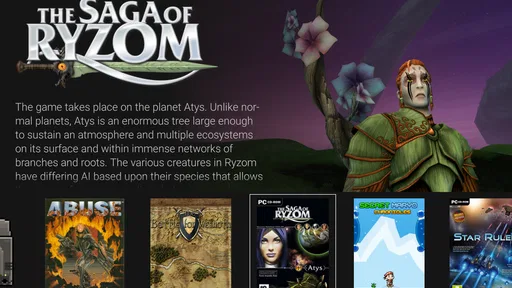
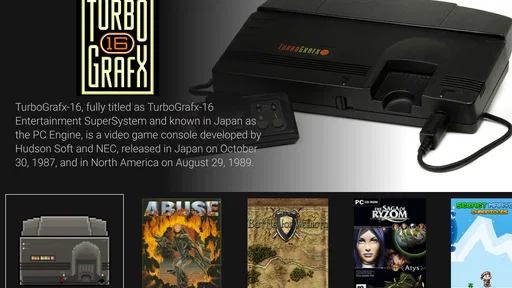
The strongest part of the concept is the separation between choosing what to play and actually launching it. A collection can become frustrating when every title is buried in folders, filenames, or a file manager. RESET Collection gives that library a more intentional starting point, which is especially helpful when I want to browse from the sofa rather than manage files at a desk.
For me, the most useful habit is to treat the frontend as a catalogue first and a launcher second. Before starting a session, I would spend a few minutes making sure the collection is arranged consistently. Similar naming, sensible grouping, and a restrained number of categories make the browsing stage much easier. This is a non-obvious trade-off: the frontend can improve discovery, but it cannot rescue a disorganized collection by itself.
That workflow also helps users who find long, unstructured lists tiring. A clearly arranged set of choices reduces the need to remember where a title is stored or repeatedly scan the same screen. Someone with reading fatigue may benefit from keeping a smaller “regular rotation” rather than presenting every available game at once. I found that this approach makes the app feel less like a technical archive and more like a curated shelf.
There is a limit, though. A retro frontend is only as readable as its visual presentation on the device in use. A phone held close to the face, a tablet on a table, and a television viewed across a room create very different conditions. I would test the browsing experience on the actual screen and viewing distance I plan to use, rather than assuming that a layout comfortable on one device will feel equally clear elsewhere.
Navigation is also affected by the controller or input method available. If I am using a physical gamepad, moving through a collection can feel more natural than tapping small areas on a phone. If I am relying on touch, I would avoid browsing while walking or in a moving vehicle, because quick selection and accurate tapping are harder when the device is not stable. The app’s value is highest when the collection is prepared in advance and the launch process becomes predictable.
One practical tip is to create a short test routine before committing to a large library. I would select a few games with different naming styles, launch each one, return to the collection, and repeat the process using the intended controls. This reveals whether the setup feels manageable without turning the first real play session into troubleshooting. It also helps identify whether text, artwork, or menu movement is the part that causes the most effort.
What the $4.99 purchase does and does not mean
The price is easy to misunderstand if you expect a bundle of playable retro games. I see the purchase as paying for the frontend experience, not as a promise that a ready-made library is included. Anyone considering it should already understand the relationship between a launcher and the games it is meant to start. That is the single most important expectation to set before buying.
This makes the app a better fit for an enthusiast who has already built a RESET collection than for a casual player searching for an instant arcade download. The usual alternative in that situation is a standalone game, where installation and play are normally part of one package. RESET Collection offers a different benefit: a central place from which a broader personal library can be approached.
Motor, visual and sensory considerations in everyday play
From an inclusive-use perspective, the app’s main advantage is that it can reduce repeated setup work. If I have already arranged the collection, I do not need to navigate through unrelated phone menus every time I want to begin a retro session. That can matter for players who find repeated precise gestures tiring or who prefer a stable, familiar route from opening the app to choosing a title.
At the same time, a frontend does not automatically solve the physical demands of the games it launches. Classic arcade games can require rapid reactions, repeated button presses, or sustained attention. A person with limited dexterity may find the collection easy to browse but the games themselves difficult to play. That distinction is important: the launcher can make access to the library smoother without changing the control demands of each individual game.
I would therefore separate two tests. First, can I reach a game without excessive tapping, scrolling, or correction? Second, once it starts, can I use the available controls comfortably? Passing the first test does not guarantee passing the second. For players who use alternative controllers, remapping, one-handed play, or slower-paced titles, the suitability may vary from one game in the collection to another.
Touch interaction deserves particular care. A phone screen can be convenient for selecting a title, but it may be less comfortable for extended play, especially when virtual controls cover part of the display or require the hands to remain in a fixed position. I would use touch for browsing and consider a larger screen or physical input for longer sessions when possible. That is not a criticism of the catalogue itself; it is a realistic distinction between selecting games and playing them.
Visual comfort can also change with context. Retro artwork often relies on strong contrast and compact presentation, but a small screen, glare, dim lighting, or a long viewing distance can still make labels harder to read. My practical recommendation is to keep the device steady, avoid reflections, and test the interface at the brightness level I normally use. If I need to move very close to the screen to identify titles, the setup is not working well for that situation.
Sensory load is another reason to keep the collection intentional. A large wall of covers, names, or categories may be exciting for one person and overwhelming for another. A smaller selection can make the experience calmer and faster. I would prepare a limited group for family use, travel, or short breaks instead of asking every player to navigate the entire archive each time.
The Everyone rating is reassuring for general household access, but it should not be confused with a guarantee that every game in a personal collection will suit every player. The rating describes the app’s listed age suitability, while the content and intensity of launched games can depend on what the user has added. Parents or caregivers should still choose the collection with the actual player in mind.
Situational access: where this frontend makes the most sense
A realistic everyday scenario would be a weekend visit where several people want to try different retro games. Instead of passing around a phone and searching through storage folders, I could open the frontend, present a prepared selection, and let each person choose. This works best when the library has already been tested. The time saved comes from preparation, not from expecting the app to understand every setup automatically.
It can also suit a player who uses one device as a dedicated retro station. In that context, the frontend becomes a consistent home screen: power on the device, open the collection, choose a title, and return to the same place afterward. That routine may be especially valuable for people who dislike switching between multiple applications or remembering technical file locations.
Travel is more complicated. The app can be useful when the collection is already stored and the device is comfortable to hold, but a small phone screen and touch controls may make a long session unpleasant. I would prepare a compact selection before leaving, test the launch path without relying on last-minute organization, and bring the input method that causes the least strain. A travel setup should be judged by how little adjustment it needs once the journey begins.
For shared living rooms, the important question is not just whether the app starts games, but whether everyone can understand the selection process. A person unfamiliar with retro file structures should not have to learn technical terminology just to choose a title. I would make the collection deliberately small and explain the basic navigation once. If guests still need constant help, a straightforward standalone arcade game may be the more inclusive choice.
The app may also help someone who wants to preserve a sense of order in a growing personal library. Adding more games can make ordinary file browsing increasingly tedious, whereas a dedicated frontend gives the collection a recognizable place. The trade-off is that organization becomes part of the hobby. Users who enjoy tinkering may see that as a benefit; users who want zero maintenance may see it as work.
Compared with the usual alternatives, RESET Collection sits between a basic file manager and a single-purpose emulator or arcade game. A file manager may offer broad access but little sense of playability or discovery. A standalone title is simpler but limited to its own content. A broader emulation setup may provide more configuration and flexibility, yet can also feel more technical. I would choose RESET Collection when the priority is a cleaner launch point for an existing retro collection, not when maximum simplicity or maximum technical control is the goal.
Remaining barriers before I would recommend it widely
The first barrier is the need to understand what kind of product this is. Someone who buys it expecting a complete catalogue may feel disappointed even if the frontend itself works as intended. The store summary points toward starting retro games from a RESET collection, so I would only recommend the purchase to someone comfortable with that relationship between the interface and the library.
The second barrier is setup effort. A frontend can make later sessions smoother, but the first session may involve arranging content, checking titles, and confirming that the intended controls work. That initial work is easy to underestimate. My advice is to begin with a small, known-good group rather than importing everything at once. This makes errors easier to isolate and creates a usable experience sooner.
The third barrier is that access needs are not uniform across the collection. One person may find browsing comfortable but struggle with fast arcade play. Another may enjoy the games but find a dense menu tiring. A family should evaluate the complete chain—opening the app, identifying a title, launching it, controlling it, and returning to the menu—instead of judging accessibility from the launcher screen alone.
There is also a social barrier when several people share control. If the interface requires one person to act as the technical guide, the frontend may not feel independent for everyone. Preparing a short list of familiar games is a useful workaround. It reduces decision fatigue and makes handoffs more predictable, although it does mean giving up some of the freedom to browse the entire collection.
I would skip this purchase if I only want one quick arcade experience, if I do not already have a compatible collection to launch, or if I strongly dislike organizing game libraries. I would also look elsewhere if my main requirement is specialized accessibility control built into the game experience itself. In those cases, a standalone title with clearly suitable controls, or a platform designed around the specific input needs, may be a better match.
On the other hand, I would seriously consider it for a retro enthusiast who wants a consistent entry point, a household that already shares a prepared collection, or a player who values browsing and organization as much as the individual games. The $4.99 price is easier to justify when the frontend will be opened regularly. It is harder to justify as an impulse purchase made without a library or a clear setup plan.
My inclusive verdict on RESET Collection
My overall view is that RESET Collection is a focused arcade frontend with a sensible place in a prepared retro setup. Its inclusive strength is not a dramatic accessibility feature; it is the way a consistent launch point can reduce clutter, repeated searching, and unnecessary technical steps after the collection has been organized. That can make a real difference for users who value routine and predictability.
Its limits are just as important. The app does not remove the physical or sensory demands of the games it opens, and it cannot make an unprepared collection instantly simple. Touch use, small displays, fast gameplay, and shared-device navigation may still create friction. I would judge it as an access layer for a library, not as a complete solution for every player’s needs.
My best advice is to start modestly: prepare a small selection, test it with the actual device and controls, and observe where the effort occurs. If browsing is the main problem, the frontend may be exactly the improvement you need. If the difficulty appears during rapid gameplay or physical control, the better solution may be choosing different games or input equipment rather than relying on the launcher alone.
Retro Lounge Lab’s game is therefore worth considering for the right audience, especially people who already understand the RESET collection concept and want a more approachable way into it. I would recommend it to organized retro fans and households willing to prepare the experience. I would not recommend it blindly to casual players looking for instant content. The clearest reason to buy it is not the promise of more games, but the possibility of making an existing collection easier to reach, understand, and share.
Verdict
Strengths of RESET Collection
- Clean, minimalist design makes browsing the collection feel effortless.
- Useful for discovering distinctive items beyond mainstream fashion brands.
- Product presentation feels curated rather than overwhelming.
- Works well for users who prefer a modern, editorial shopping experience.
- The collection offers a strong visual identity across its available items.
Limitations of RESET Collection
- Limited product availability may make popular items difficult to find.
- Some items may be priced higher than comparable mainstream alternatives.
- Product details can feel insufficient for making confident purchase decisions.
- The minimalist interface may provide fewer browsing filters than larger stores.
- Shipping and return conditions should be checked carefully before ordering.
Similar Picks in This Category
View All
Subway Surfers
SYBO Games4.6

Stickman Party 234 MiniGames
PlayMax Game Studio4.6

Subway Princess Runner
Ivy4.4

Temple Run
Imangi Studios4.2

Zombie Tsunami
Mobigame SAS4.6

Stack Ball - Crash Platforms
CASUAL AZUR GAMES4.5
Frequently Asked Questions
What is RESET Collection?
RESET Collection is a mobile gaming app centered on a curated set of interactive experiences, presented with a strong visual style and an emphasis on atmosphere, exploration, and discovery. Rather than feeling like a traditional collection of unrelated games, it is designed to offer a cohesive experience. The exact content and available features may vary depending on the version, device, and operating system.
Is RESET Collection free to download and play?
The app’s download model may differ between Android and iOS, so it is worth checking the store listing before installing it. Some versions or parts of the collection may be available at no cost, while additional content, premium features, or complete experiences could require payment. Users should also review any in-app purchase information and confirm whether the app contains advertising before starting.
What devices are compatible with RESET Collection?
Compatibility depends on the operating system version, available storage, and the specific device being used. RESET Collection may run more smoothly on recent phones and tablets, particularly if its games include detailed graphics, animations, or audio effects. Before downloading, check the Google Play or App Store requirements, keep the system updated, and make sure enough free space is available.
Does RESET Collection require an internet connection?
An internet connection may be needed for downloading the application, verifying access, receiving updates, loading certain content, or using online-related features. Some experiences could work offline once installed, but this should not be assumed for every part of the collection. If you plan to play while traveling, open the app once online and test its main features before relying on offline access.
Is RESET Collection suitable for children?
Parents should check the official age rating and review the store description before allowing children to use RESET Collection. The collection may include themes, imagery, sound design, or gameplay elements intended for older audiences, depending on the included experiences. It is also important to consider advertising, external links, data permissions, and possible in-app purchases when deciding whether it is appropriate for a child.
Play our best games!


